
For everyone
How to download your maps 🌺
You can sign in with Patreon or get a one-time link by email. Public downloads do not need a Patreon membership. Members-only mods still need the right membership or tier.
Quick steps · sign in once, download anywhere
For public downloads, choose Sign in by email, enter your email and open the link you receive. No Patreon account is needed. To sign in with Patreon instead, follow these steps:
- From any map page, click the purple Sign in with Patreon button on the download card.
- Patreon will open in the same tab and show you a screen titled "Chatelain Mods would like to..." with two short bullets and an Allow button. Click Allow. This is the only time you'll see this screen, Patreon remembers your choice next time.
- You'll come straight back to the map page, already signed in. The download button will be active and the file will start coming down when you click it.
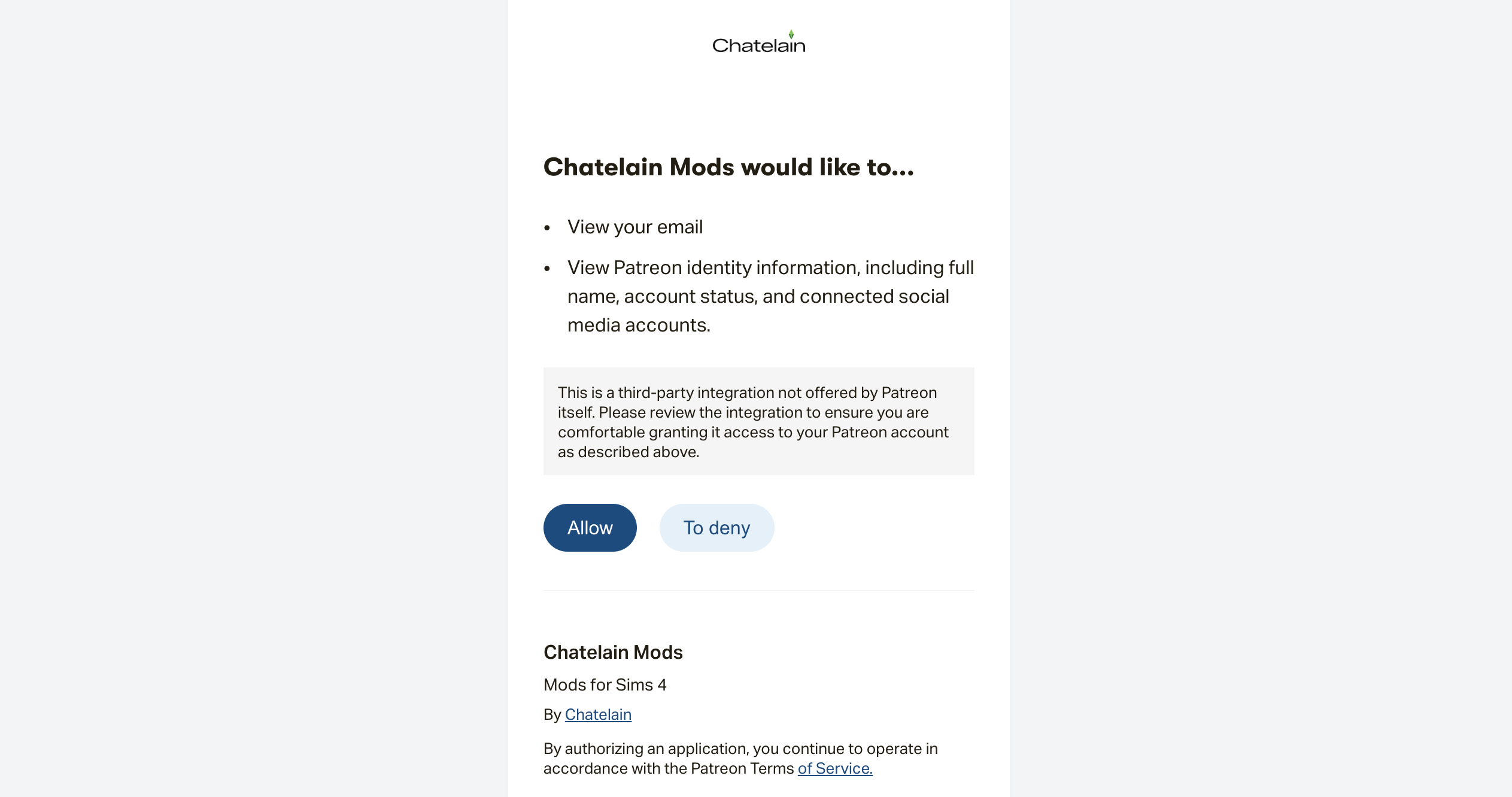
What does Patreon share with the site?
We ask Patreon for the absolute minimum needed to know it's you. Here is the full list of everything we receive:
- ✓Your Patreon display name
- ✓Your Patreon email address (so we can send a magic link if you lose access)
- ✓Your active tier
- ✓Your Patreon profile picture (purely cosmetic, shows in the corner of the site)
We do not see, store or have any access to:
- ✗Your Patreon password
- ✗Your credit card or any payment details
- ✗Your messages or private posts with other creators
- ✗Other creators or campaigns you support
- ✗Anything else on your Patreon profile beyond the four items above
We never post anything on your behalf, never share your email with anyone, and you can revoke our access from your Patreon settings at any time, at which point we lose all access to your data instantly.
If something goes wrong
Still stuck? Let me help directly
Don't struggle alone. Drop me a line and I'll figure it out with you.
I read every message personally and reply within a couple of days. If your download request is urgent, mention the map name and your Patreon username, and I can send the file directly to your email while we figure out the login.